Most website problems do not happen overnight. A plugin goes un-updated for a few months. Backups quietly stop running. A contact form breaks after a change and nobody notices. Then one day the site is slow, hacked or losing enquiries, and fixing it costs far more than prevention ever would.
A simple website maintenance checklist stops that from happening. This guide gives you a practical routine for 2026, split into weekly, monthly, quarterly and yearly tasks, with clear explanations of why each one matters. It is written for WordPress, but the principles apply to almost any website.
Why website maintenance matters
Security
Outdated software is one of the most common ways websites get compromised. On WordPress, most reported vulnerabilities are found in plugins and themes rather than WordPress core, which is why keeping every component updated is so important.
Performance and SEO
Sites slow down over time as content, images and plugins pile up. Speed affects user experience and supports rankings, so regular performance checks protect your visibility.
Leads and revenue
A broken form, checkout or booking system can cost enquiries for weeks before anyone notices. Regular testing catches these problems early.
Trust
Outdated content, broken links and security warnings damage credibility with visitors and weaken the trust signals search engines look for.
Before you start: set up the essentials
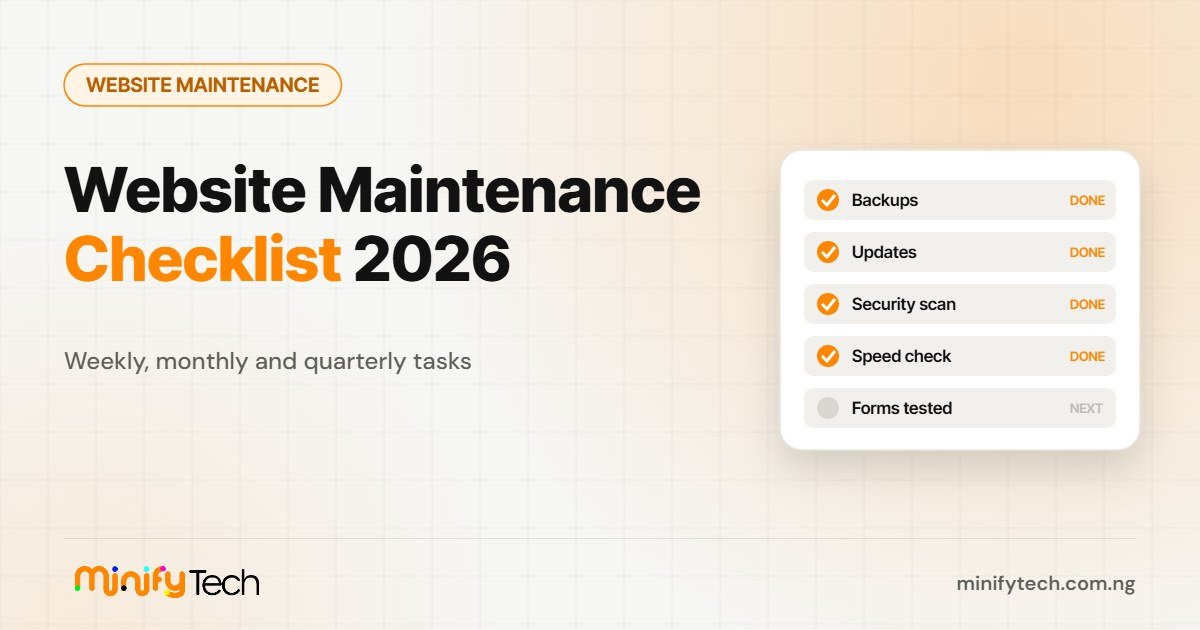
- Automatic off-site backups of files and database, kept for at least 30 days.
- Uptime monitoring that alerts you if the site goes down.
- A security plugin or firewall with malware scanning and login protection.
- Google Search Console and analytics connected to your site.
- A staging site for testing major updates safely, if your host provides one.
Weekly website maintenance tasks
1. Confirm backups are running
Check that the latest backup completed and is stored somewhere other than your web server. A backup you cannot access when the server fails is not a backup.
2. Update plugins and themes
Apply updates, ideally after testing on staging for major releases. After updating, check your home page, a key service page, your forms and any checkout.
3. Review security alerts
Look at scan results, blocked login attempts and any warnings from your host or security plugin.
4. Moderate comments and form spam
Delete spam and make sure genuine enquiries are reaching the right inbox.
Monthly website maintenance tasks
5. Update WordPress core and check PHP
Apply core updates and confirm your server runs a supported PHP version. Older PHP versions are slower and stop receiving security fixes.
6. Check speed and Core Web Vitals
Review the Core Web Vitals report in Google Search Console and test key pages with PageSpeed Insights. Our guide to fixing LCP, INP and CLS on WordPress explains what to do if scores drop.
7. Fix broken links and 404 errors
Use a link checker and the Pages report in Search Console. Redirect or update broken URLs.
8. Test every form, checkout and booking flow
Submit a test enquiry and complete a test purchase or booking. Confirm emails arrive and integrations work.
9. Review analytics and search performance
Look for sudden drops in traffic, rising bounce rates on key pages or new indexing errors.
Quarterly website maintenance tasks
10. Test restoring a backup
Restore a recent backup to a staging site to prove it works. Many people only discover their backups are incomplete when they need them.
11. Remove unused plugins, themes and users
Every unused component is a potential risk. Delete what you do not need and review user accounts and permissions.
12. Refresh important content
Update outdated statistics, prices, team details and dates. Fresh, accurate content helps both visitors and search rankings.
13. Clean and optimise the database
Remove old revisions, spam and expired data. Always back up first.
14. Review accessibility and mobile experience
Test key pages on phones and check contrast, headings and form labels. Our mobile-first design checklist is a useful guide.
Yearly website maintenance tasks
- Renew your domain and SSL certificate, ideally with auto-renew turned on.
- Review hosting performance and whether your plan still fits your traffic.
- Audit your privacy policy, cookie notices and legal pages.
- Run a full SEO and content audit, and plan improvements for the year.
- Decide whether parts of the site need a redesign.
DIY or outsource website maintenance?
If you enjoy the technical side and have time every week, you can manage maintenance yourself using this checklist. Many business owners, however, find it slips down the to-do list until something breaks. Outsourcing to a professional team usually costs less than recovering a hacked site or losing weeks of enquiries, and it frees you to focus on your business. Factor it into your website budget from the start.
What a good maintenance report should include
Whether you do the work yourself or hire someone, keep a simple monthly record. It makes problems easier to spot and shows exactly what has been done. A useful report includes:
- Updates applied to core, plugins and themes, with dates.
- Backup status and the date of the last successful restore test.
- Security scan results and any threats blocked.
- Uptime percentage and any outages.
- Speed and Core Web Vitals scores compared with last month.
- Broken links fixed and forms tested.
- Recommendations for the coming month.
Warning signs your site needs attention now
Do not wait for the next scheduled check if you notice any of these: the site is suddenly slow, you see unfamiliar admin users, visitors report security warnings, Google Search Console shows a security issue or manual action, or enquiries drop without explanation. Take a backup, update everything you can, run a security scan and, if in doubt, ask a professional to investigate before the problem grows.
Frequently asked questions
How often should a website be maintained?
Check backups, updates and security weekly, performance and forms monthly, and do a deeper review every quarter.
What happens if I skip website maintenance?
Outdated plugins can be exploited, pages slow down, forms break and rankings can fall, often costing more to fix later.
Should I turn on automatic updates?
Automatic minor updates are usually safe. For major plugin, theme and core updates, test first or make sure you have a recent backup you can restore quickly.
Let us look after your website
MinifyTech handles updates, backups, security checks, speed reviews and fixes, with clear reports every month. Request a quote for website care, or resell it to your clients under your own agency brand.

Simeon Gift is the founder of MinifyTech, a Lagos-based white-label digital agency that designs, builds, optimises and maintains websites for agencies and consultants. He writes about website design, SEO, website maintenance and AI search.